Try it

Photo retouching in Telegram

Your photo,
just better

Natural retouching, the way makeup artists and photographers edit their portfolios. Send the bot a photo and get five versions, from minimal to maximum.

Try it free

Your first 3 photos are free. No payment, no email.
(To try it, pick a good-quality portrait: the larger the face in the frame, the more visible the difference.)

Photo of a young woman before retouching
The same photo after MirraTouch retouching
BeforeAfter
5 versionsof every photo, from minimal to maximum
Telegramno extra app to install or set up(new to Telegram? There's a short guide below)
3 photosfree, so you can try it

Examples

What gets fixed

Drag the slider. Under each photo you'll see what was fixed.

What makes us different

A flawless photo, but no one can tell it's been retouched

This is how makeup artists and photographers edit their portfolio shots: smoother skin, a fresher face, brighter color, yet the photo looks natural, as if it had never been retouched. It's still you, not a filtered picture.

Smooth skin that still looks realWe even out skin tone, remove blemishes and fine lines, and soften deeper wrinkles, while keeping the skin's texture. None of the blurry, mask-like skin so many apps give you.
Neck, décolletage and small detailsWe soften neck lines and smooth out unwanted creases on the neck and décolletage, without erasing the skin's natural texture. We also remove little things that are distracting in a photo: cold sores and flaky skin on the lips, pimples, redness.
Your features stay yoursWe refine the nose, eyes and face shape gently: barely noticeable in the lighter versions, bolder in the stronger ones. You look fresher, younger and more lifted, and always like yourself.
Women, men and kidsThe bot recognizes who's in the photo, a woman, a man or a child, and retouches each one in their own way.
Makeup stays putLipstick, eyeliner and blush aren't wiped away or blurred along with the skin.
Brighter eyesEyes look clearer, and if the camera made them too dark, lighter as well: subtly in some versions, more noticeably in others. Pick the one you like.
Clean clothesWe tidy up your clothes too: dust, lint and pilling, especially visible on dark fabric, disappear completely or almost completely.
Bright, clean colorPhotos come out brighter, richer and with more contrast. Unwanted yellow or green casts are removed, so tones look natural and balanced.

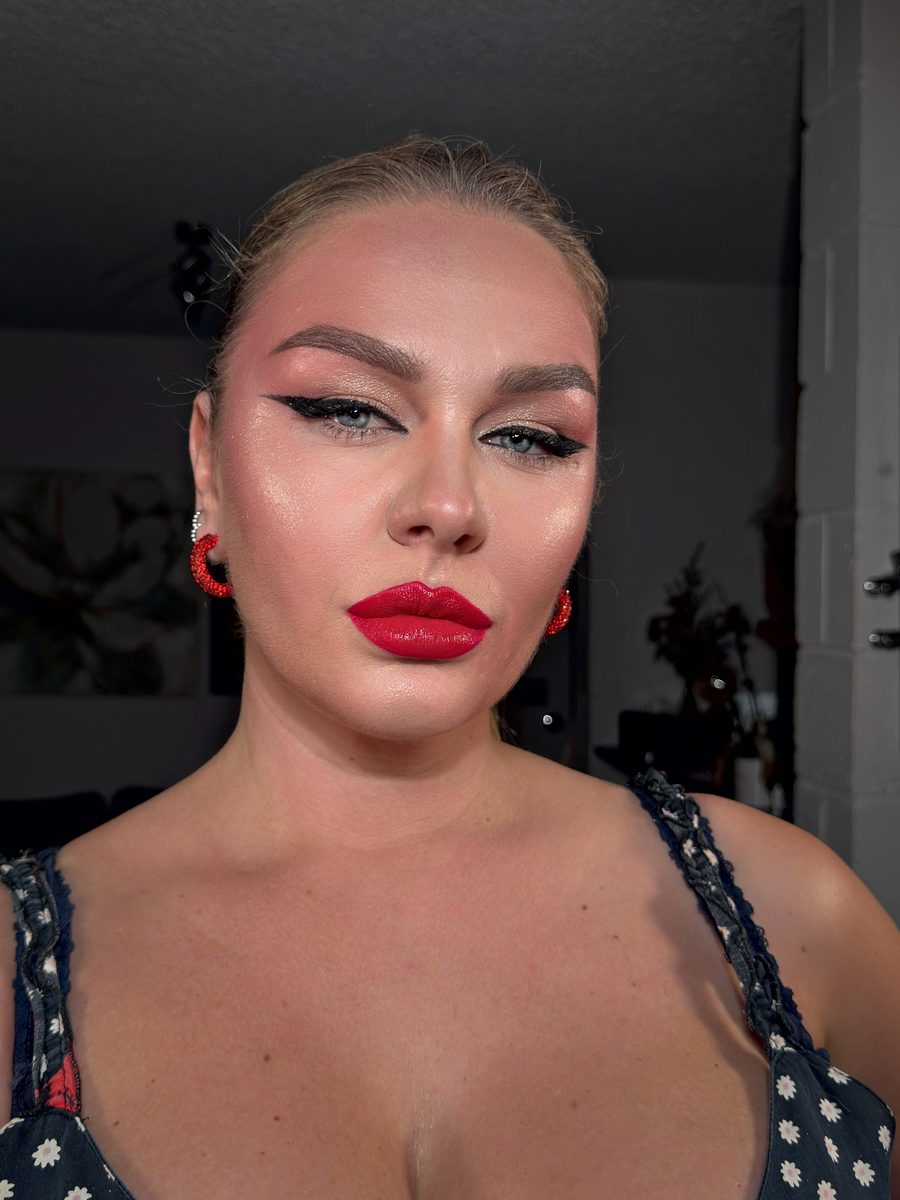
Five versions

From barely there to maximum

  1. 1Minimal
  2. 2Light
  3. 3Medium
  4. 4Strong
  5. 5Maximum

How it works

Three steps

Open the bot

Tap “Try it free” and the bot opens in Telegram. Then tap “Start”.

Send a photo

Send it as a photo or, better, as a file: that way the full quality is kept. Keep Telegram open while the file uploads.

Choose a version

The bot sends back five versions. Save the one you like best.

Telegram

New to Telegram?

It's a regular messaging app, like WhatsApp, but more convenient. Here's what it can do:

Keep photos and videos in Telegram, not on your phoneDelete them from your gallery to free up space: they stay in Telegram, and you can open them anytime.
Photos in full qualityOther messaging apps compress photos. Here you can send them as files, and they arrive in full quality.
Send later, or send silentlyWrite a message now and Telegram sends it at the time you choose. Or send it silently so it doesn't disturb anyone.

Getting started

  1. Download Telegram from the App Store or Google Play, it's free. Open it and tap “Start Messaging”.
  2. Enter your phone number. You'll get a code, usually by text message. Sometimes Telegram asks for your email and sends the code there, or offers to sign in with Apple or Google.
  3. Enter your first name (last name is optional). The bot doesn't need access to your contacts. But if you'd like to chat with friends on Telegram, like on WhatsApp, allow it: Telegram will show you which of your friends are already there.
  4. Come back to this page and tap “Try it free”.

No code? Wait a couple of minutes and tap the link under the code field: Telegram will send it again.

Plans

Pay monthly

The number in each plan's name is how many photos you can send per month. For every photo, the bot sends 5 retouched versions, from minimal to maximum, and you keep the one you like.

Mirra 30
US$14.99 / mo
US$9.99 with a promo code about US$3.50 a week
  • 30 photos every month
  • up to 10 photos a day
  • 5 retouched versions to choose from
Mirra 100
US$28.99 / mo
US$19.99 with a promo code about US$6.70 a week
  • 100 photos every month
  • up to 20 photos a day
  • 5 retouched versions to choose from
Mirra 300
US$58.99 / mo
US$38.99 with a promo code about US$13.60 a week
  • 300 photos every month
  • up to 50 photos a day
  • 5 retouched versions to choose from

One-off packs

For a month when you need more photos than your plan includes, or to retouch a few photos without a subscription. Photos in a pack never expire. If you have a plan, they're used after your monthly limit.

5-photo pack
US$3.99 one-off
US$0.80 per photo
  • photos never expire
  • no subscription
  • 5 retouched versions to choose from
15-photo pack
US$8.99 one-off
US$0.60 per photo
  • photos never expire
  • no subscription
  • 5 retouched versions to choose from
25-photo pack
US$13.99 one-off
US$0.56 per photo
  • photos never expire
  • no subscription
  • 5 retouched versions to choose from

Questions

Frequently asked questions

Photos and privacy

What happens to my photos?

Your photos and results stay with you, in your chat with the bot. The copy we receive for processing is deleted from our server as soon as you've received your result.

Does anyone see my photos?

No. Photos are processed by software, not by a person. Our team only sees the photos you choose to show us: ones you send with a question, or if you allow it in the bot's settings. You can take that permission back at any time.

Using the bot

Should I send it as a photo or as a file?

Either works. A file is better: Telegram doesn't compress it, so you get your result in full quality. The bot replies the same way you sent it.

Which photos work best?

Good-quality portraits where the face is large in the frame: selfies, waist-up shots. The bot will also retouch full-length or low-quality photos, but the difference will be less noticeable.

What if I send more photos than my daily limit?

The bot retouches your daily limit right away and sends the rest over the next few days on its own. You don't need to send them again. Photos over your monthly limit won't be accepted, and the bot will tell you from which day you can send new ones. If you need them now, get a one-off pack of 5, 15 or 25 photos.

Something went wrong with a photo?

If the retouching didn't work or you can see a mistake in the photo, tap "Send for review" under the result or message our support and attach that photo. We'll look into it and fix it.

Can I use it on a computer?

Yes. The bot works wherever Telegram does: on your phone, computer and tablet. One subscription works on all your devices.

Payment

Where do I enter a promo code?

If you came from a creator's link, the code is applied automatically and you'll see the discounted price right away. If you have a code, enter it on the payment page, in the promo code field.

How do I cancel my subscription?

Your subscription renews automatically every month. You can cancel anytime, right in the bot, with one tap. You keep the month you've already paid for: the bot works until the last paid day.

Can I get a refund?

Yes, if the bot doesn't work for you and we couldn't fix it. Message our support and we'll sort it out. And you can judge the results before you pay: the bot retouches your first 3 photos for free.

Can I switch plans?

Yes, anytime.

To a bigger plan: it starts working as soon as you pay, and any photos left on your old plan are added to the new one.

To a smaller plan: you keep your current plan's photos until the end of the paid month, and the new plan starts next month.

Do unused photos carry over to the next month?

No, but every new month of your subscription comes with your plan's full number of photos again: 30, 100 or 300. Photos from a one-off pack never expire.

Try it on your own photo

Three photos free. If you like the results, choose a plan.

Try it free

Why Telegram is worth a try

We just want to explain it, so you feel comfortable giving it a try. It's a messaging app just like WhatsApp: chats, calls, voice messages, groups. And it's free.

1. Store photos in Telegram, not on your phone

Send photos or videos to “Saved Messages”. It's your private chat with yourself, already built into Telegram. Then you can delete them from your gallery: they stay in Telegram and open anytime.

Telegram won't fill up your phone either: there's a “Clear Cache” button in Settings. Your files aren't lost, Telegram simply loads them again when you open them.

Important: if you don't open Telegram for a long time, your account is deleted along with your files. You can make this period longer in Privacy and Security settings.

2. Photos in full quality

Tap the paperclip and choose:

By the way, our bot accepts both: you get the result back the same way you sent it. Files give better quality.

3. Send later, or send silently

Type your message, but instead of tapping send right away, press and hold the send button. Two options will appear:

Is it free?

Yes. There's a paid subscription with extra features, but you don't need it for anything described here.

Try it free